Taximeter
Planet CoopsAuto & Vehicles
4.4133.00 Reviews
- Version
- 1.1.147
- Installs
- 10.00K
- Age Rating
- Everyone
Screenshots
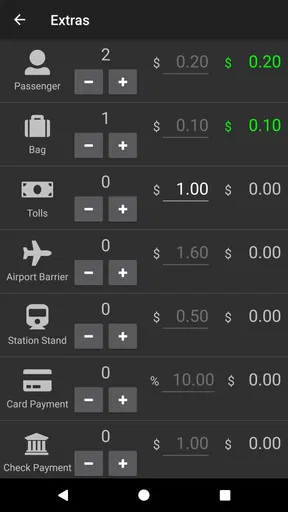
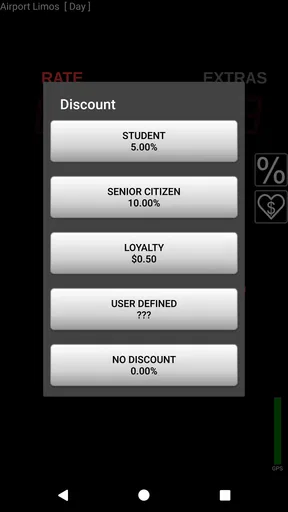
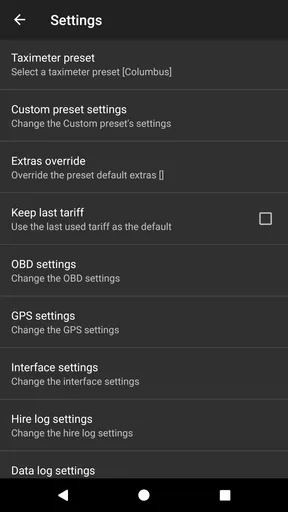
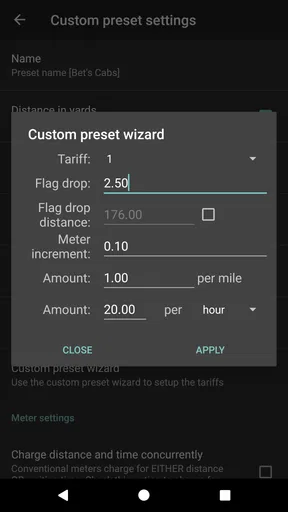
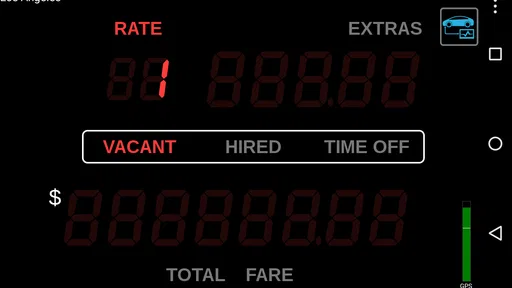
Our Review of Taximeter
 Analysis by Appyee
I find Taximeter most interesting for one straightforward reason: it turns a phone into a working fare meter, using GPS to track a trip and calculate the fare as you drive. That focus matters more than a long feature list. For a driver who needs to keep a running total without doing distance arithmetic by hand, the useful question is whether a phone-based meter can fit into a real shift without becoming a distraction. My view is that it can be a practical aid, provided you set it up before the passenger gets in and treat the displayed fare as something to verify against your local rules and working arrangements.
A meter built around the fare calculation
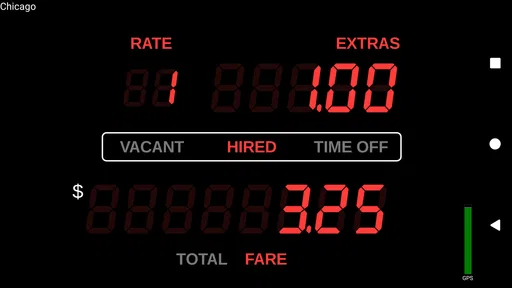
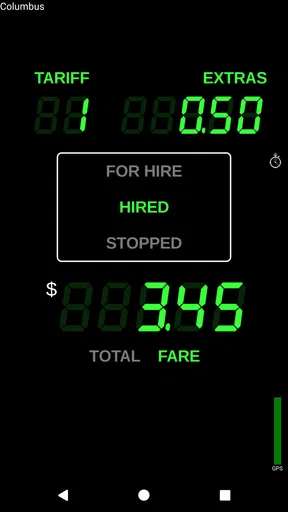
The central task here is live fare calculation from GPS-tracked movement. Rather than entering each stretch of distance yourself, you can start a trip and let the app follow the route. That makes the app different from a notes app or a basic calculator: those tools can record a number, but they leave the driver to decide when and how to update it. A dedicated meter brings the tracking and running fare together in one place.
Tariff selection is the companion detail that gives the meter practical value. If your work uses different rates for different circumstances, switching to the appropriate tariff before a ride can help keep the calculation consistent. The important habit is to decide which rate applies before moving, not while navigating traffic or discussing the fare with a passenger. A meter is only as useful as the settings behind it, so checking the selected tariff at the start of a shift is a small step that can prevent an avoidable disagreement later.
What a shift looks like in practice
For a typical ride, I would prepare the phone, check the chosen tariff, and start the meter when the trip begins. After that, GPS tracking handles the movement and the fare updates as the ride continues. At the end, the trip record gives you a way to look back at the ride rather than relying entirely on memory. This is a more dependable routine than scribbling a fare on paper, especially if several short trips blur together over a busy day.
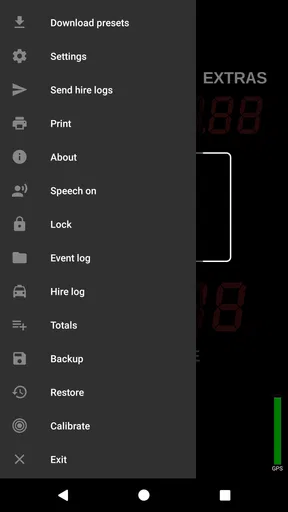
Trip history is also useful beyond end-of-day earnings. If a passenger asks about a previous journey, or I want to compare a busy period with a quieter one, having recorded rides gives me a reference point. I would still treat any record as a working log rather than assuming it replaces whatever formal bookkeeping or documentation my job requires. That distinction keeps the app in its proper role: a convenient tool for calculating and reviewing fares, not a substitute for every part of a transport business.
GPS-based tools can be affected by the conditions around them, so I would make a quick sense-check when starting somewhere with tall buildings, covered roads, or an awkward pickup point. A phone may take a moment to settle on its position, and a route that includes a tunnel or a signal-shadowed street can make tracking less straightforward. In those situations, paying attention to the screen and following the rules you normally use for fare disputes is wiser than assuming any meter is infallible.
Where it earns its place
The strongest everyday fit is an independent taxi driver who wants fare calculation and ride records on the same phone. Picture a driver working a mix of short town trips and longer airport runs: checking a tariff before each ride and reviewing the log later can make the day easier to organize. It may also suit occasional drivers who need a meter for paid journeys but do not want to manage calculations manually each time.
It is less compelling for someone who only wants turn-by-turn directions, or for a private driver who never charges fares. Navigation apps are better at guiding a route, while a calculator or notebook may be enough for someone who rarely needs to meter a trip. Drivers working under a company’s required dispatch or fare system should also make sure a separate phone meter fits their workflow before depending on it. Convenience is not a reason to bypass workplace procedures or local requirements.
Cost, compatibility, and a fair comparison
Planet Coops makes this paid Auto & Vehicles app, which costs $17.99. That is a meaningful upfront commitment compared with a free calculator or a feature already included in a work phone setup. I would judge the cost by how often I expect to use the fare meter and whether keeping trip records in the same tool saves enough time to justify it. Someone testing the idea for a single occasional ride may be better served by an option they already have.
The app has an average rating of 4.4 from around 700 ratings, and it has been installed over 10,000 times. It is rated for Everyone, runs on Android from version 5.0, and its current version is 1.1.147. It first appeared on October 23, 2010, so it is a long-running tool rather than a newly launched experiment. Those details help set expectations, but they do not replace checking whether the app’s fare setup suits the way you actually charge.
When comparing it with the usual alternatives, I see a clear trade-off. A traditional physical meter may be the better choice when a vehicle or workplace requires an approved, permanently installed device. A generic GPS app can show where you went but is not designed around fare calculation, while a spreadsheet can help analyze earnings after a shift but is clumsy to operate during a ride. Taximeter sits between those options: it offers a phone-based way to meter and review trips, without turning the phone into a full dispatch or navigation system.
Setting the Stage
First up, let’s talk about getting started with Taximeter. Installation is a breeze, whether you’re rocking Android or iOS. Once you’ve got it up and running, you’re greeted with a clean, intuitive interface that’s easy on the eyes and simple to navigate. It feels like the developers really had the user in mind, which is always a plus in my book.
Features That Drive You
Now, onto the juicy bits—what can Taximeter actually do for you? Well, quite a lot, actually. You’ve got your basic fare calculation, which is done in real-time using GPS tracking. This means no more manually inputting distances or dealing with archaic meters. Just drive and let the app handle the math.
One feature I found particularly neat is the ability to set different tariffs. So, if you’ve got weekend rates or holiday prices, you can easily switch between them. It’s like having a virtual accountant riding shotgun.
"It’s like having a virtual accountant riding shotgun."
And don’t even get me started on the trip history feature. It logs everything—every ride, every route, and every fare. This is super handy for keeping track of earnings or if you need to look back for any reason.
On the Road Experience
Let’s hit the road, shall we? Using the app while driving is quite seamless. The GPS is surprisingly accurate, and the app doesn’t drain your battery like some other GPS-heavy apps tend to do. That’s a win-win!
I also noticed that the app performs well even in areas with spotty internet coverage. This is crucial for anyone driving through less urbanized areas. The last thing you want is your meter going on the fritz because you hit a dead zone.
Customization and Personal Touch
One thing I absolutely love about Taximeter is the customization options. You can tweak the look and feel of the app to suit your style, from color themes to units of measurement. It’s these little touches that make using it feel more personal and tailored to your needs.
And for those who love to keep things organized, the app lets you export data to various formats. Whether you want a PDF for your records or a spreadsheet for detailed analysis, it’s all there at your fingertips.
Wrapping It Up
So, what’s the final verdict on Taximeter? If you’re in the taxi business or just need a reliable tool to handle fare calculations, this app is a solid choice. It’s user-friendly, feature-packed, and offers a level of convenience that’s hard to beat.
I’d say give it a whirl and see how it fits into your routine. Who knows, it might just make your life a whole lot easier on the road. Safe travels!
Verdict
Strengths of Taximeter
- Accurate GPS tracking for precise fare calculation.
- User-friendly interface with easy navigation.
- Customizable settings for different taxi services.
- Real-time fare updates enhance transparency.
- Offline functionality ensures reliability.
Limitations of Taximeter
- Battery drain due to constant GPS usage.
- Limited customer support options available.
- Occasional GPS signal loss in dense areas.
- Requires frequent app updates for stability.
- High data consumption in active use.
Similar Picks in This Category
View All
Android Auto
Google LLC4.1

maxim — order a taxi & food
PT. SITO4.7

Штрафы ГИБДД: проверка с фото
Pays LLC – Штрафы ГИБДД4.7

Номерограм – проверка авто
Авто Ассист4.8

Дром Авто
Дром4.9

Frequently Asked Questions
What features does the Taximeter app offer for drivers?
The Taximeter app provides a range of features designed to support drivers, including real-time fare calculation, GPS navigation, trip history tracking, and an integrated receipt system. It also offers customizable settings for different fare structures, ensuring that drivers can adjust to various local regulations and pricing schemes with ease.
Is the Taximeter app compatible with both Android and iOS devices?
Yes, the Taximeter app is available for both Android and iOS platforms. It is designed to work seamlessly across various devices, offering a user-friendly interface that caters to the needs of professional drivers. Users can download it from the Google Play Store or Apple App Store, ensuring broad accessibility.
How does the Taximeter app ensure accuracy in fare calculation?
The Taximeter app uses GPS technology to accurately track distance and time, ensuring precise fare calculations. It is updated regularly to incorporate the latest fare structures and policies. Users can also manually adjust settings to match local regulations, providing an additional layer of customization for accurate billing.
Can the Taximeter app work offline, and what are the limitations?
While the Taximeter app functions best with an internet connection for real-time updates and navigation, it can operate offline to some extent. Offline functionality includes basic fare calculation and trip tracking, but users may experience limitations in GPS accuracy and the inability to update fare structures or receive notifications.
What security measures does the Taximeter app have in place for data protection?
The Taximeter app prioritizes user security by employing data encryption and secure servers to protect sensitive information. It complies with industry standards for data protection, ensuring that both drivers' and passengers' personal and financial details remain confidential. Regular updates also address potential security vulnerabilities.
